Customer CRM
Know who is walking in.
Every booking builds a customer profile with visits, spend and tags, so your hosts can recognise regulars and your marketing can reach them.
Learn more about Customer CRM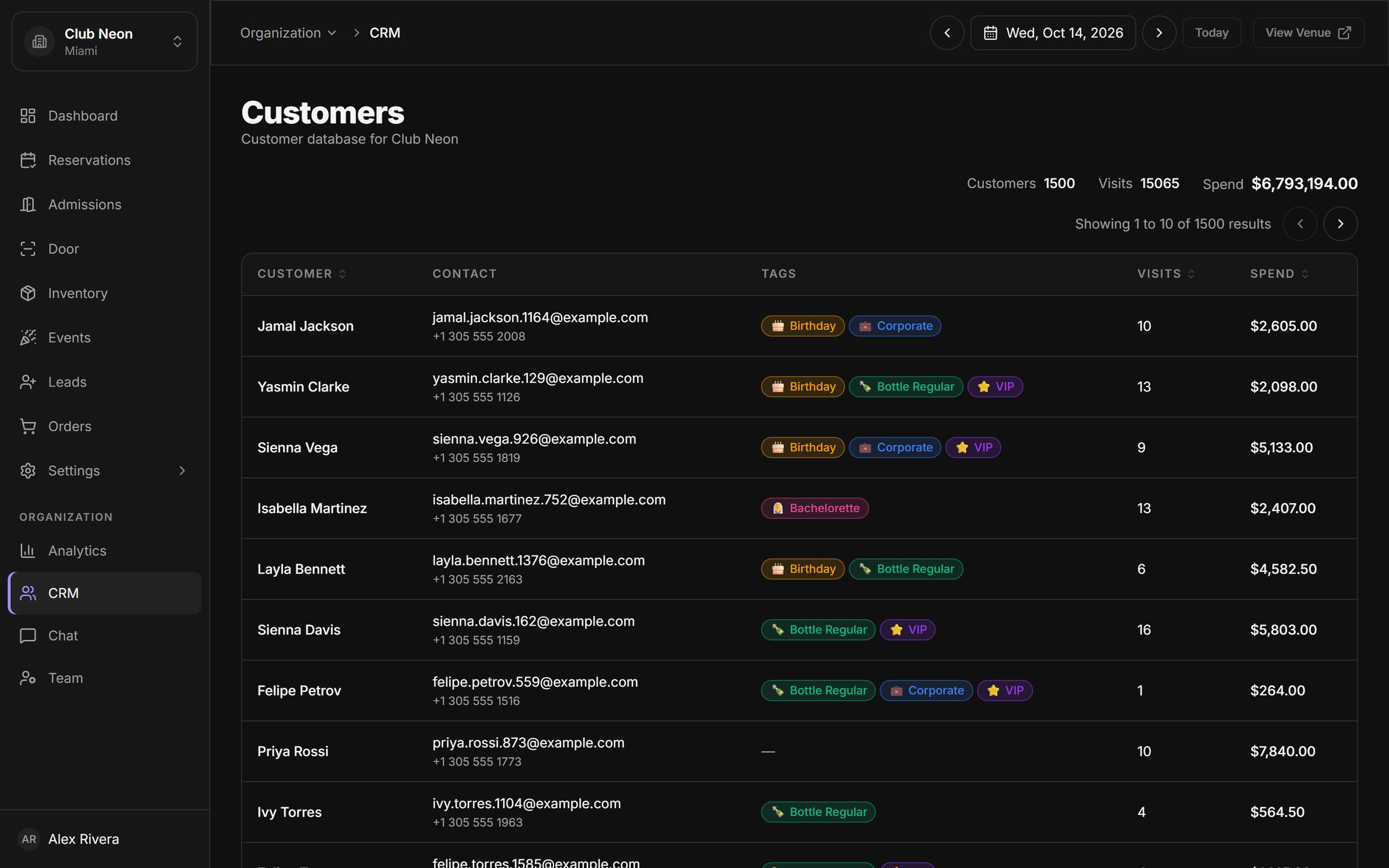
Guests text your venue number, your team replies from a shared inbox. Every message is tied to the customer record, so anyone on shift can pick up the thread.
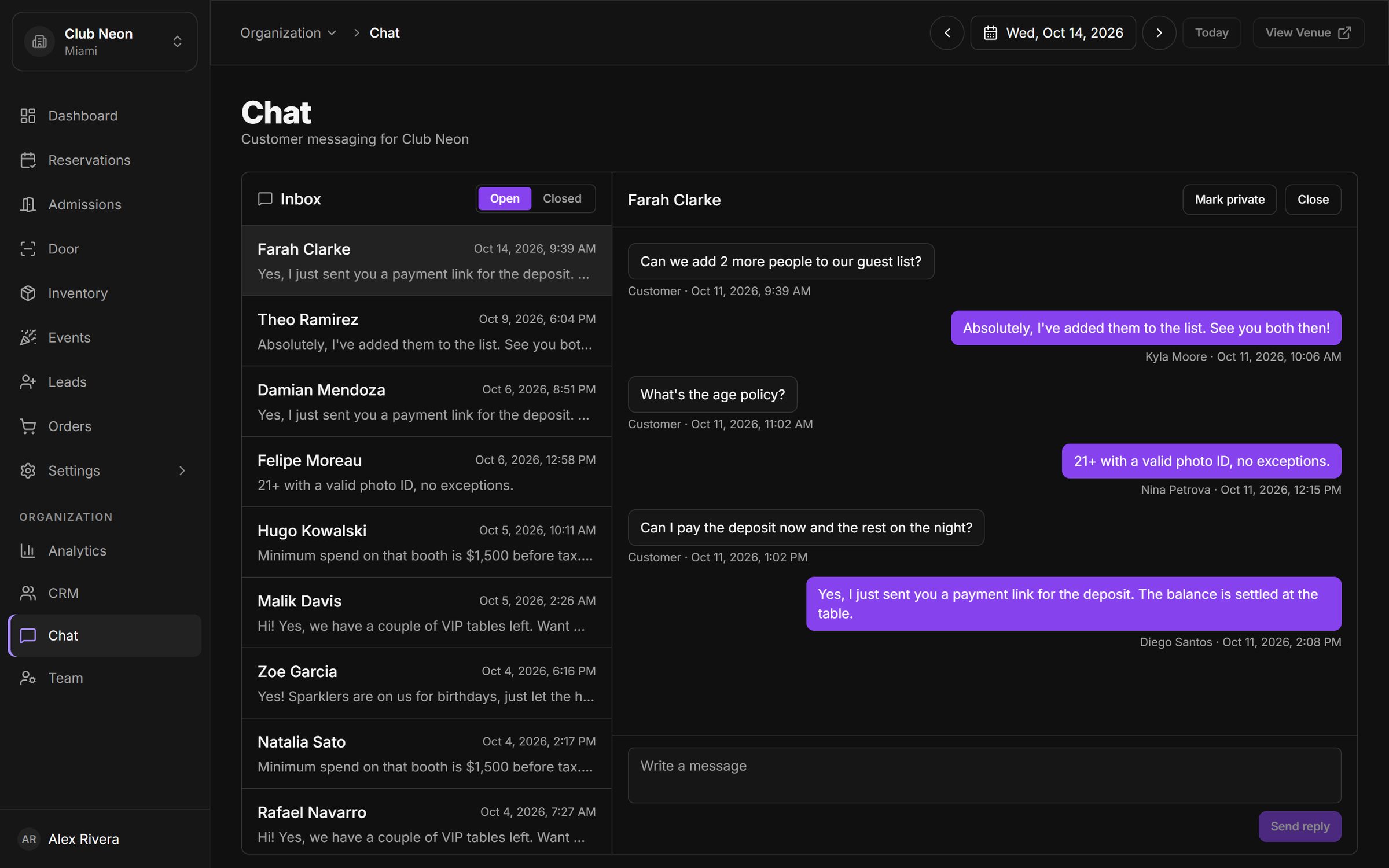
Conversations live on the venue number, not on a host's personal phone. When staff change, the history stays.
See who sent each reply and when. Pick up a conversation started by a colleague without asking what was promised.
Answer the question, send a payment link for the deposit and confirm the table, all from the same thread.
Close threads once they are handled and keep the open list focused on guests who are still waiting for an answer.
Every booking builds a customer profile with visits, spend and tags, so your hosts can recognise regulars and your marketing can reach them.
Learn more about Customer CRMTake deposits or full prepayment through Stripe, send payment links from any reservation, issue refunds, and get paid out to your own account.
Learn more about Payments & payouts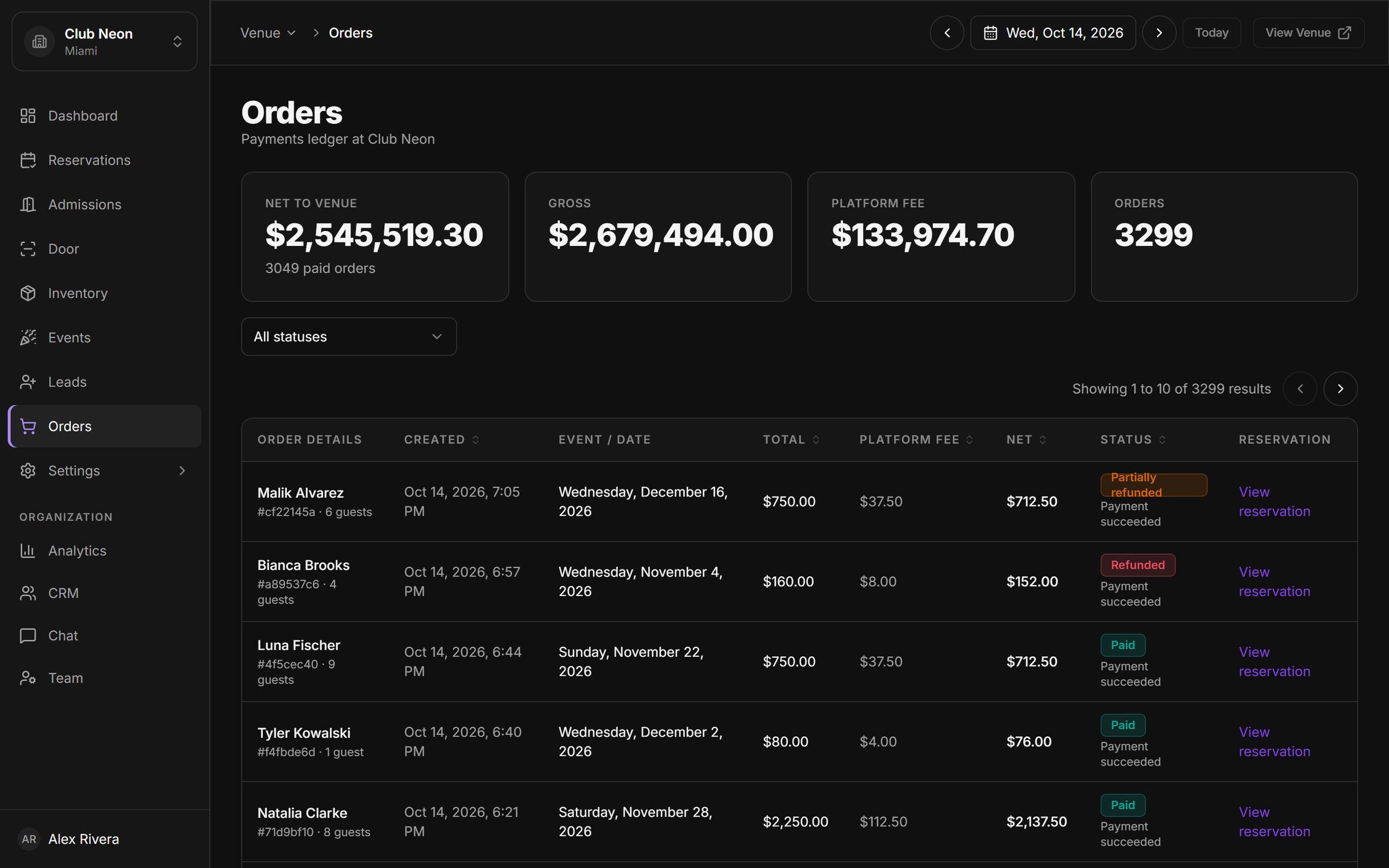
Invite managers, staff and promoters with roles scoped to a venue or the whole group, and see which bookings each promoter brought in.
Learn more about Promoters & staff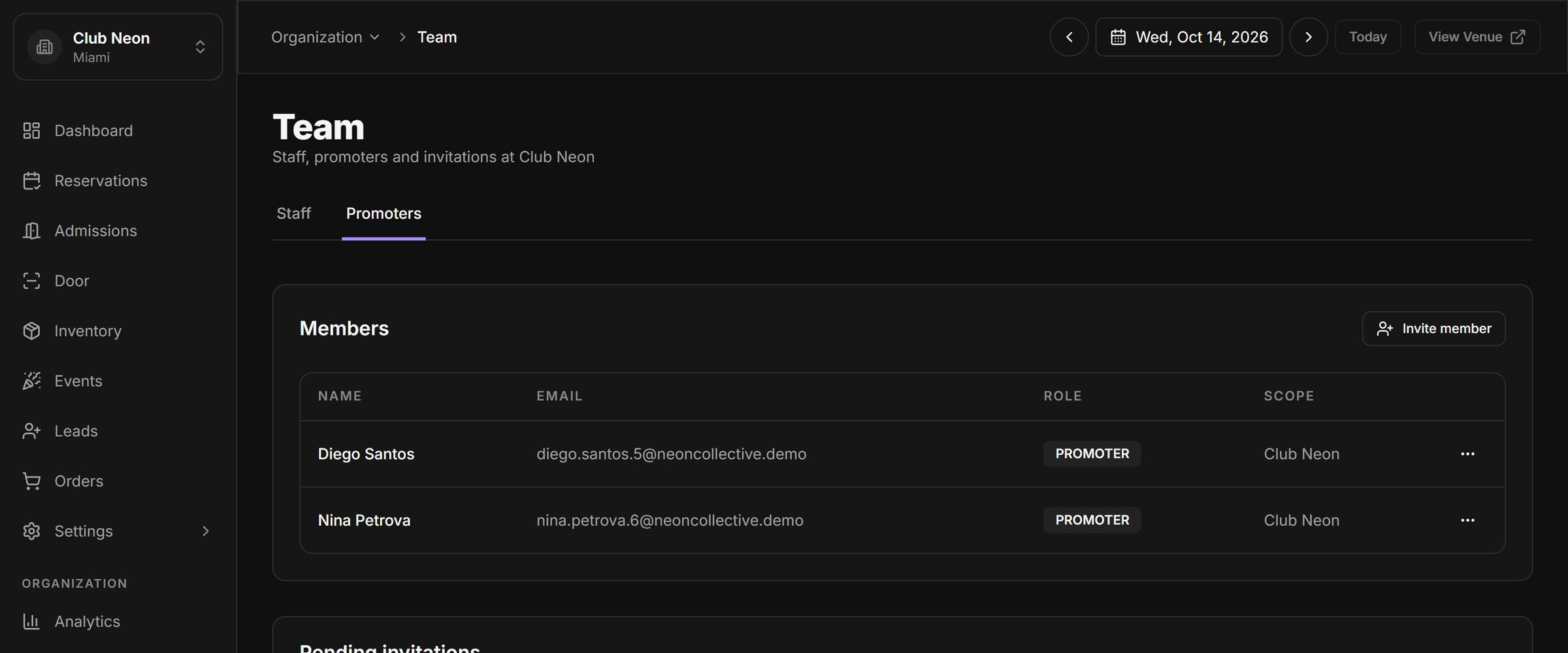
Book a 30-minute walkthrough. We will set up a sample of your venue, your tables and your next event, and show you the night from booking to door.