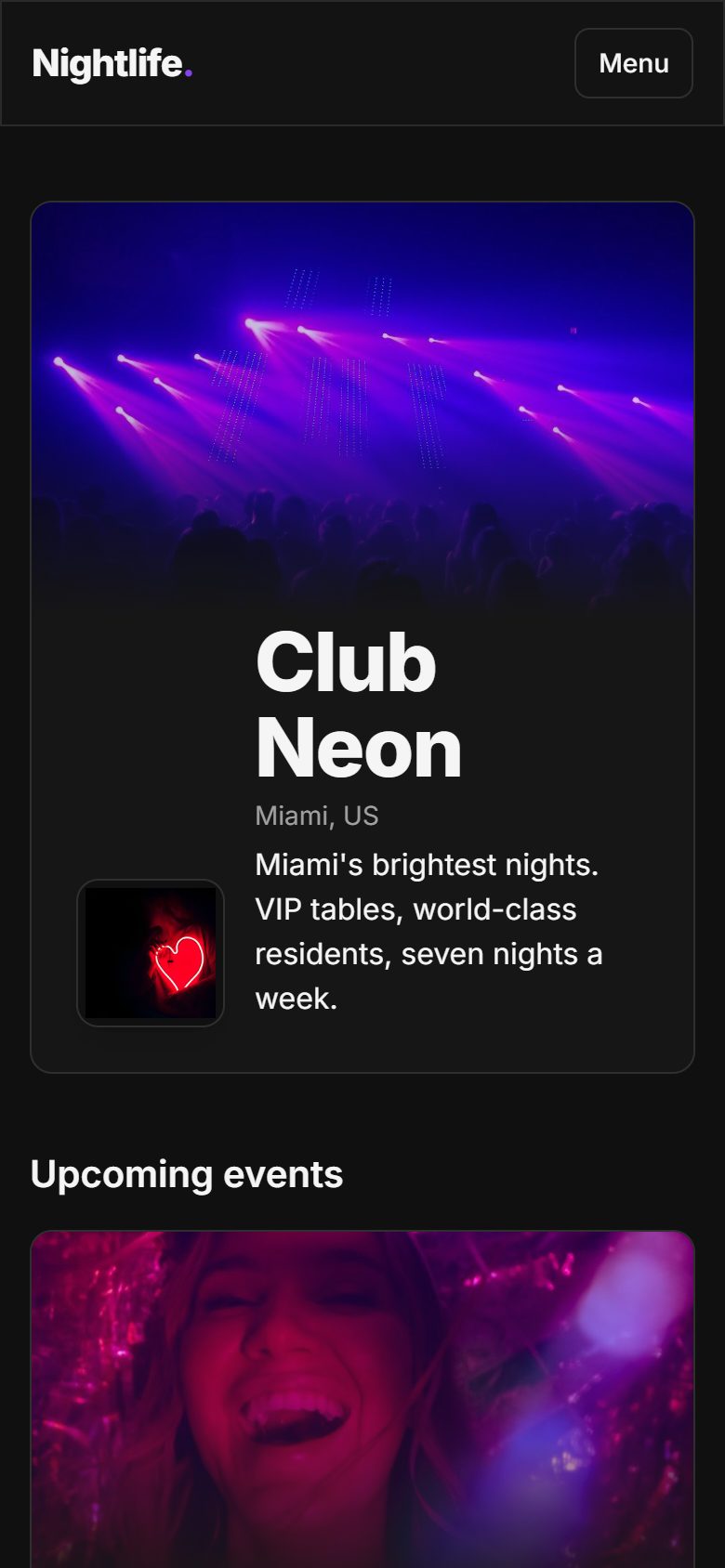
Tables & floor plans
Every table, every night, on one live map.
Draw your rooms in a drag-and-drop editor, sell tables with minimum spends, and see who is seated where as the night unfolds.
Learn more about Tables & floor plans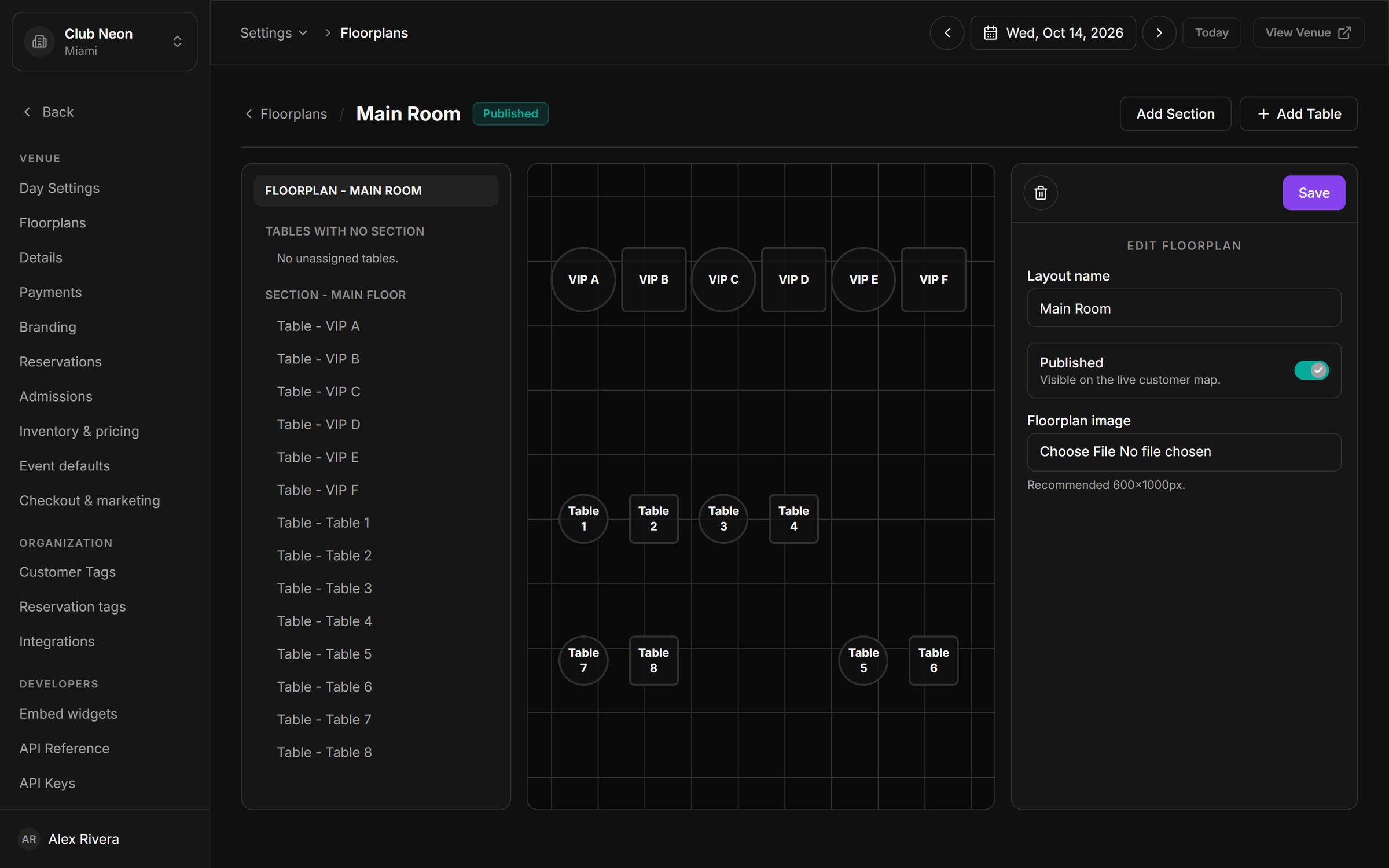
Tables, tickets, guest list, door check-in, payments and guest data, built for nightclubs, lounges and bars. Your floor plan, your brand, your payouts.
30-minute walkthrough · Set up on your own floor plan
Product preview with illustrative demo activity: table bookings, guest list sign-ups, door check-ins and deposits appearing as they happen.
Ten tools that share one set of data, so a booking made at noon is on the floor plan, at the door, in the CRM and in your numbers by midnight.
Draw your rooms in a drag-and-drop editor, sell tables with minimum spends, and see who is seated where as the night unfolds.
Learn more about Tables & floor plansEvery booking becomes a signed QR pass. Door staff scan it from a phone and see the party, the table and the count in one tap.
Learn more about Guest list & door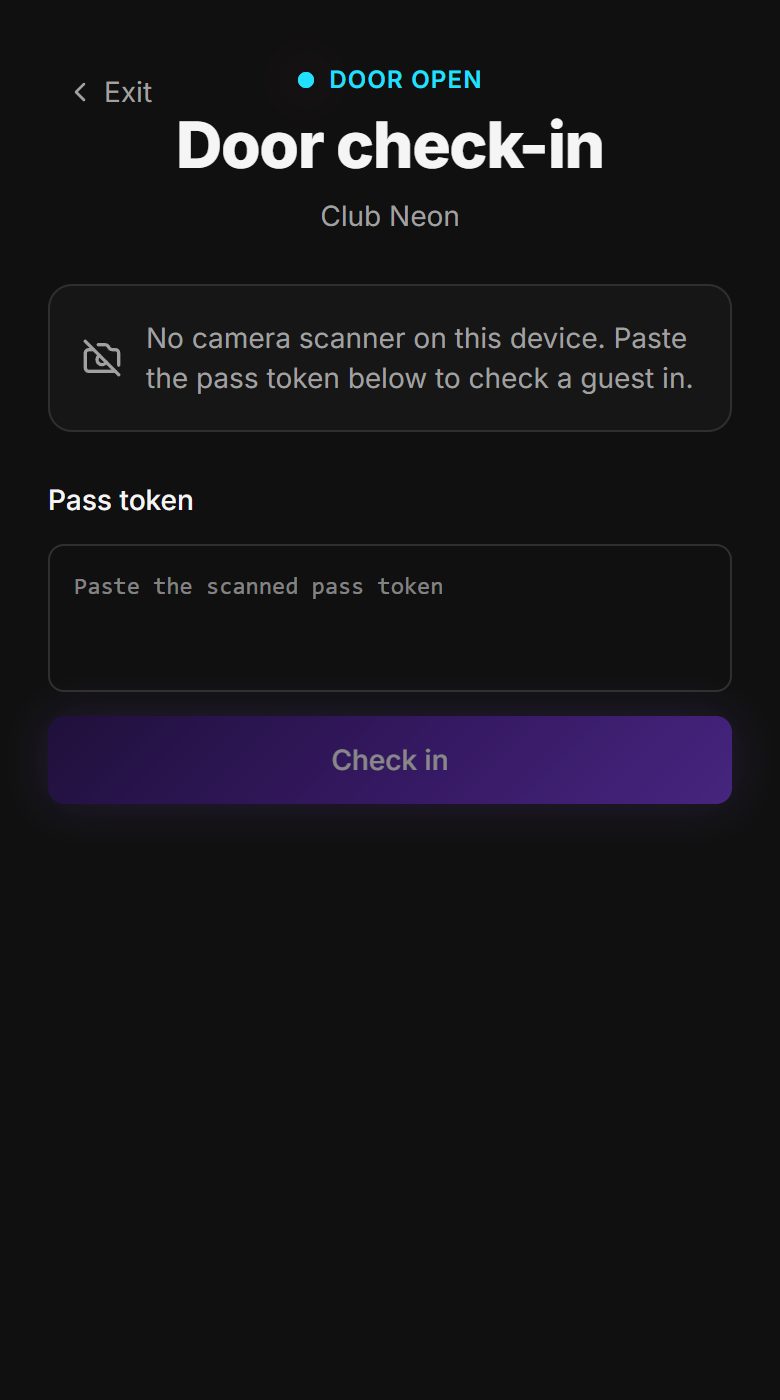
Create one-off or weekly events with artwork, sell tickets, tables and guest list against them, and track capacity in real time.
Learn more about Events & ticketing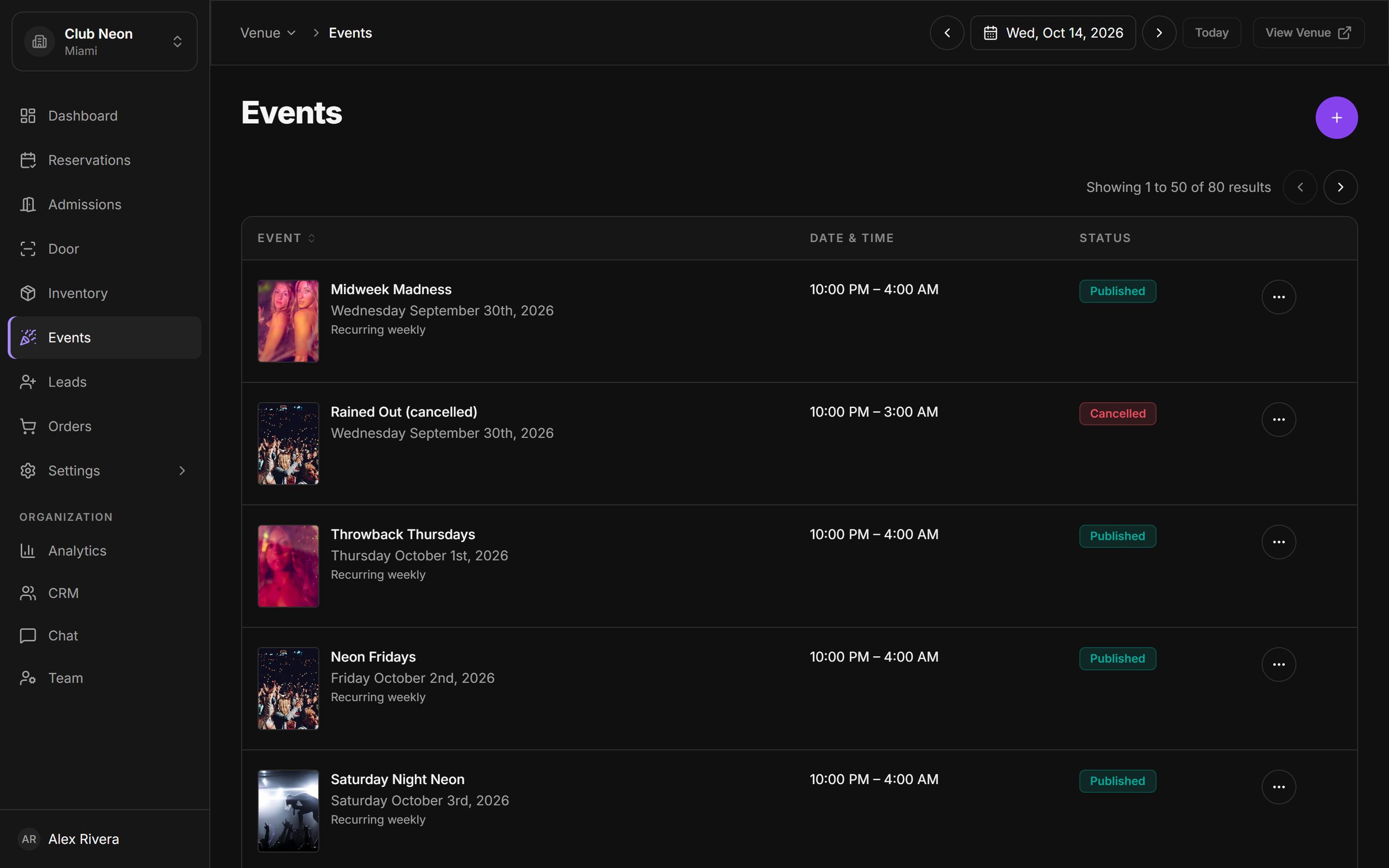
Every booking builds a customer profile with visits, spend and tags, so your hosts can recognise regulars and your marketing can reach them.
Learn more about Customer CRM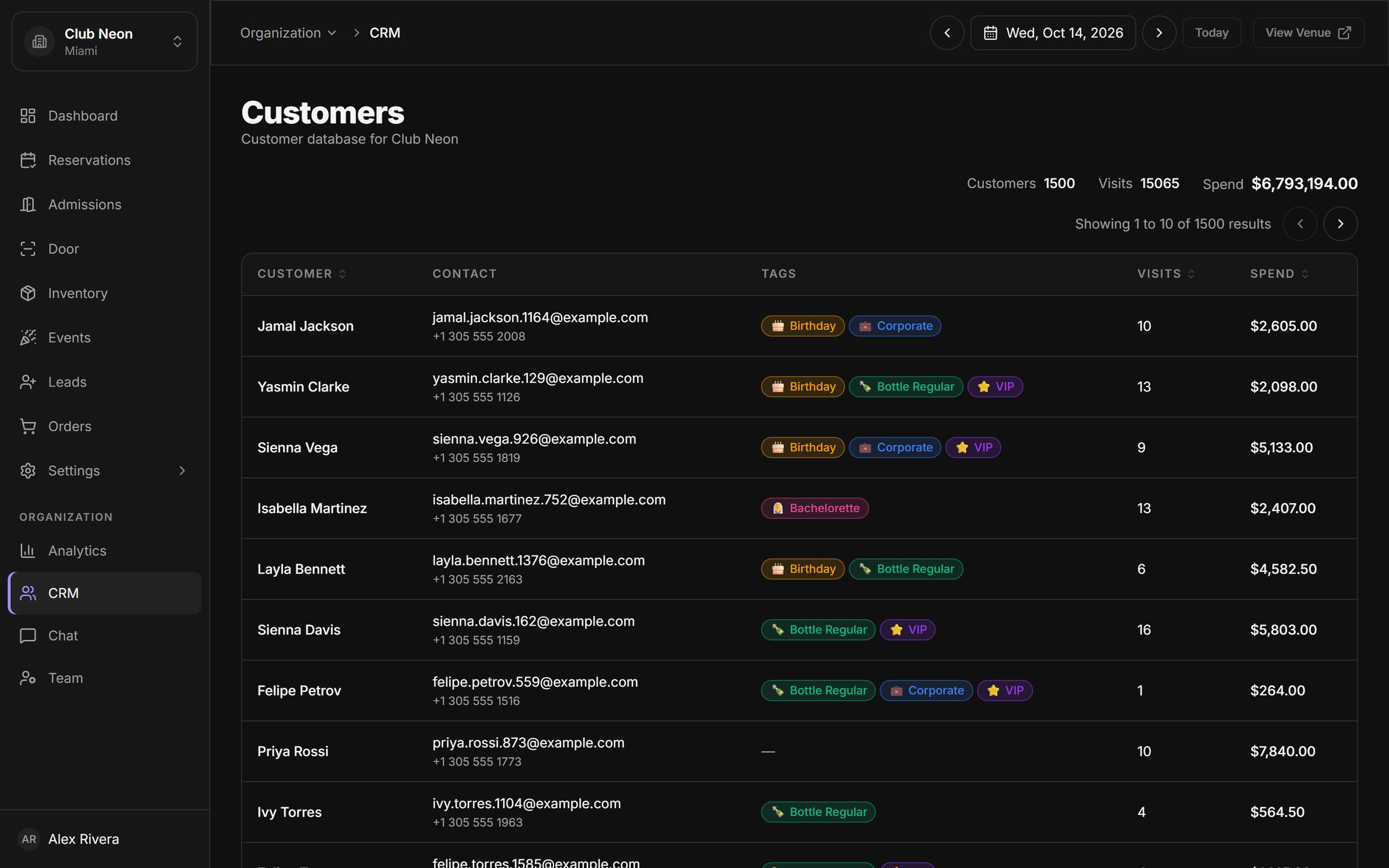
Invite managers, staff and promoters with roles scoped to a venue or the whole group, and see which bookings each promoter brought in.
Learn more about Promoters & staff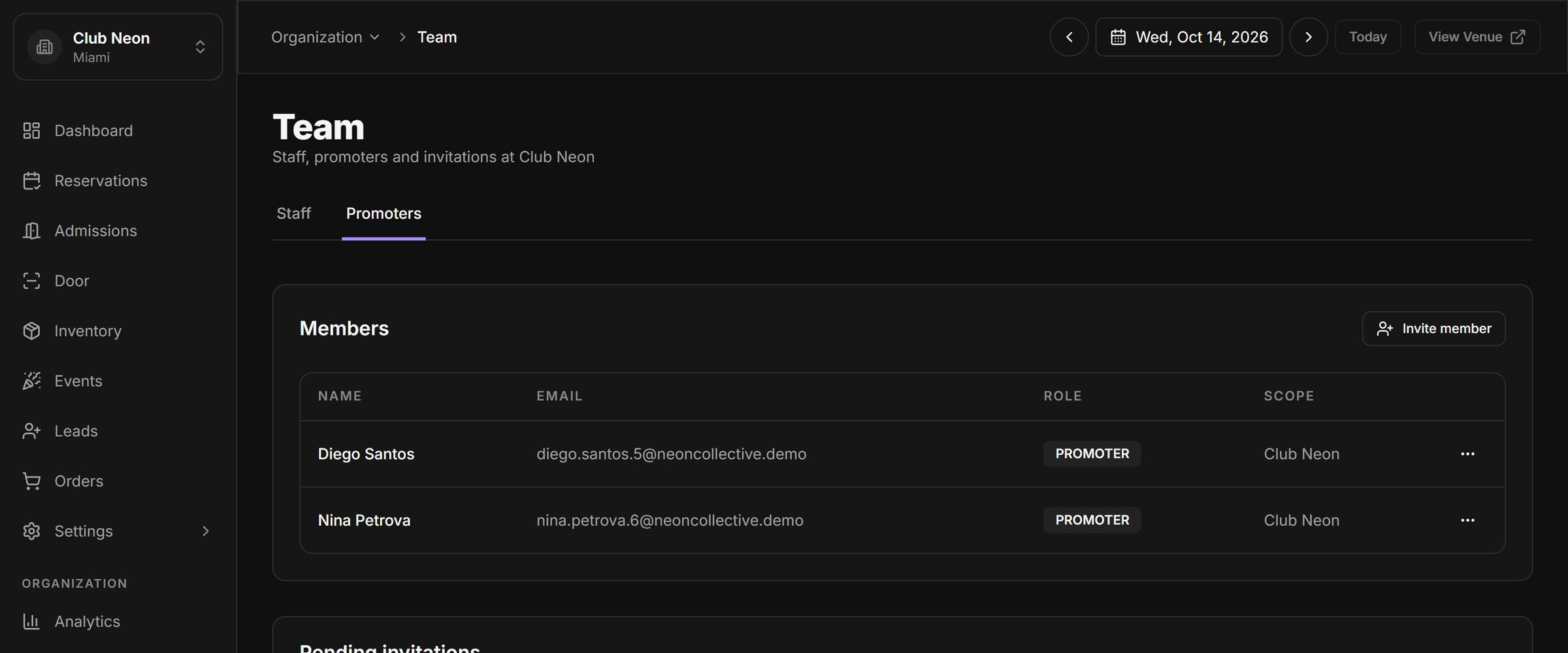
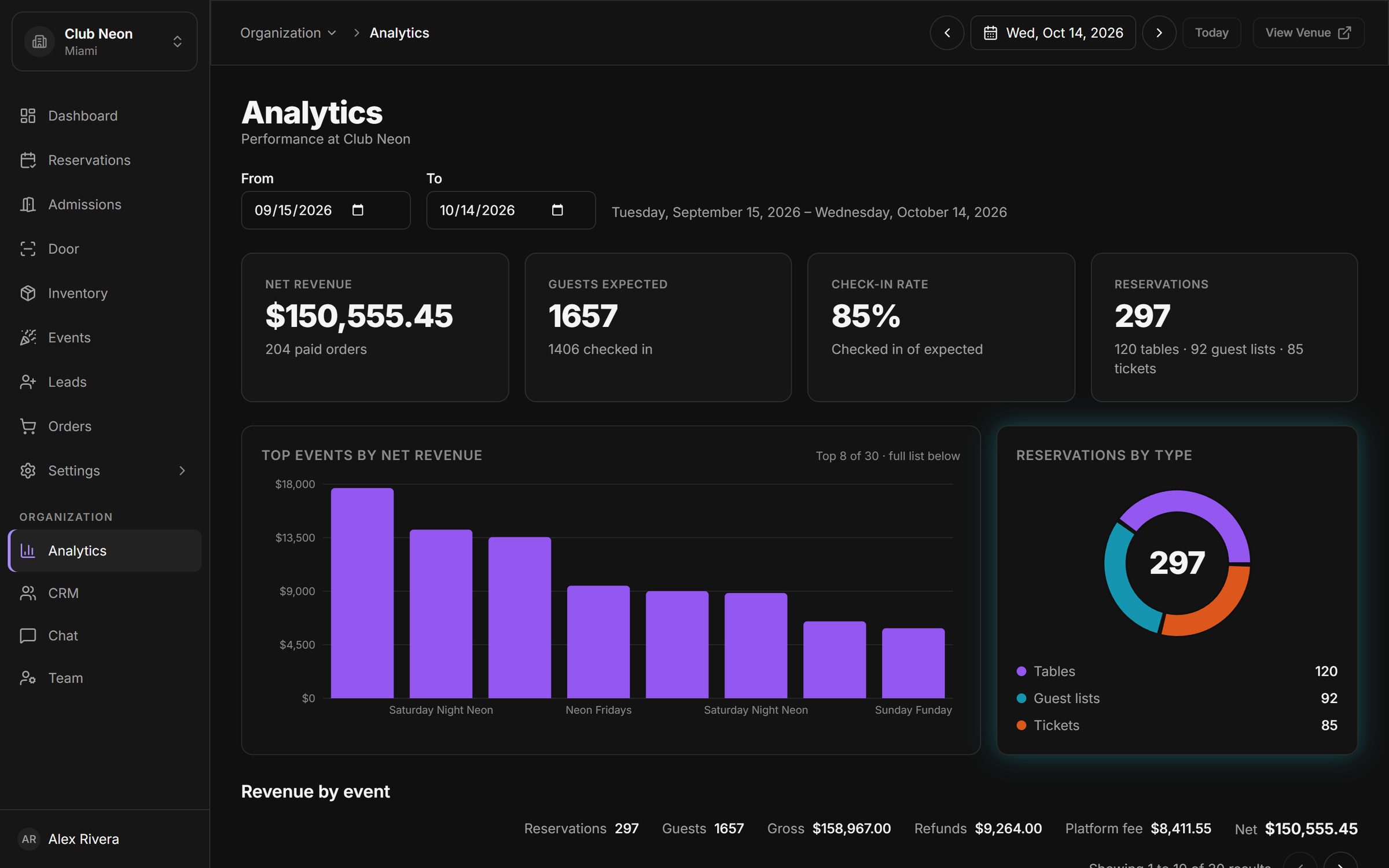
Net revenue, check-in rate, reservations by type and revenue by event, for any date range, venue by venue, switching between venues in one click.
Learn more about AnalyticsA shared inbox for guest conversations over SMS, with your team's replies, payment links and history in one thread.
Learn more about Customer chat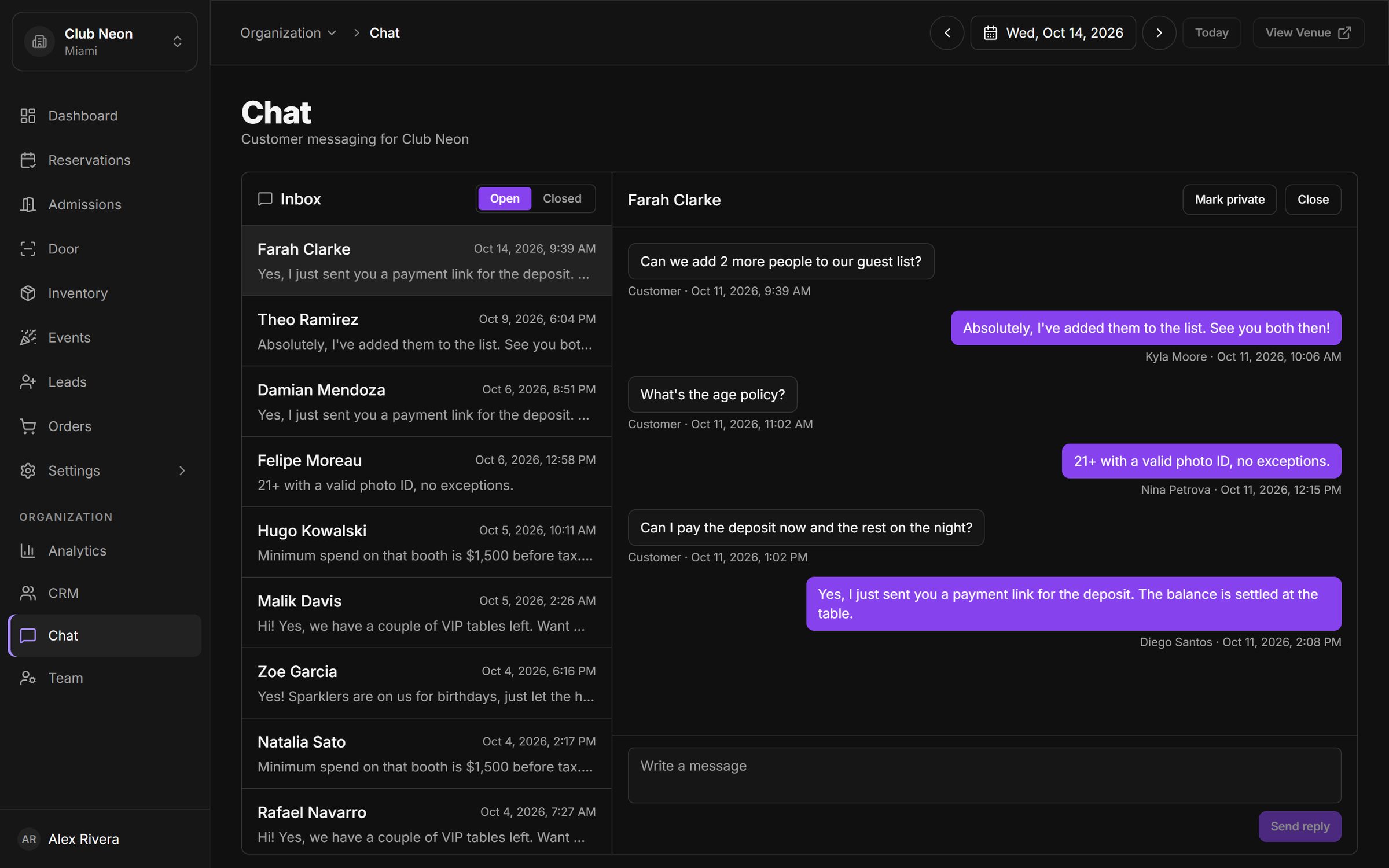
Take deposits or full prepayment through Stripe, send payment links from any reservation, issue refunds, and get paid out to your own account.
Learn more about Payments & payouts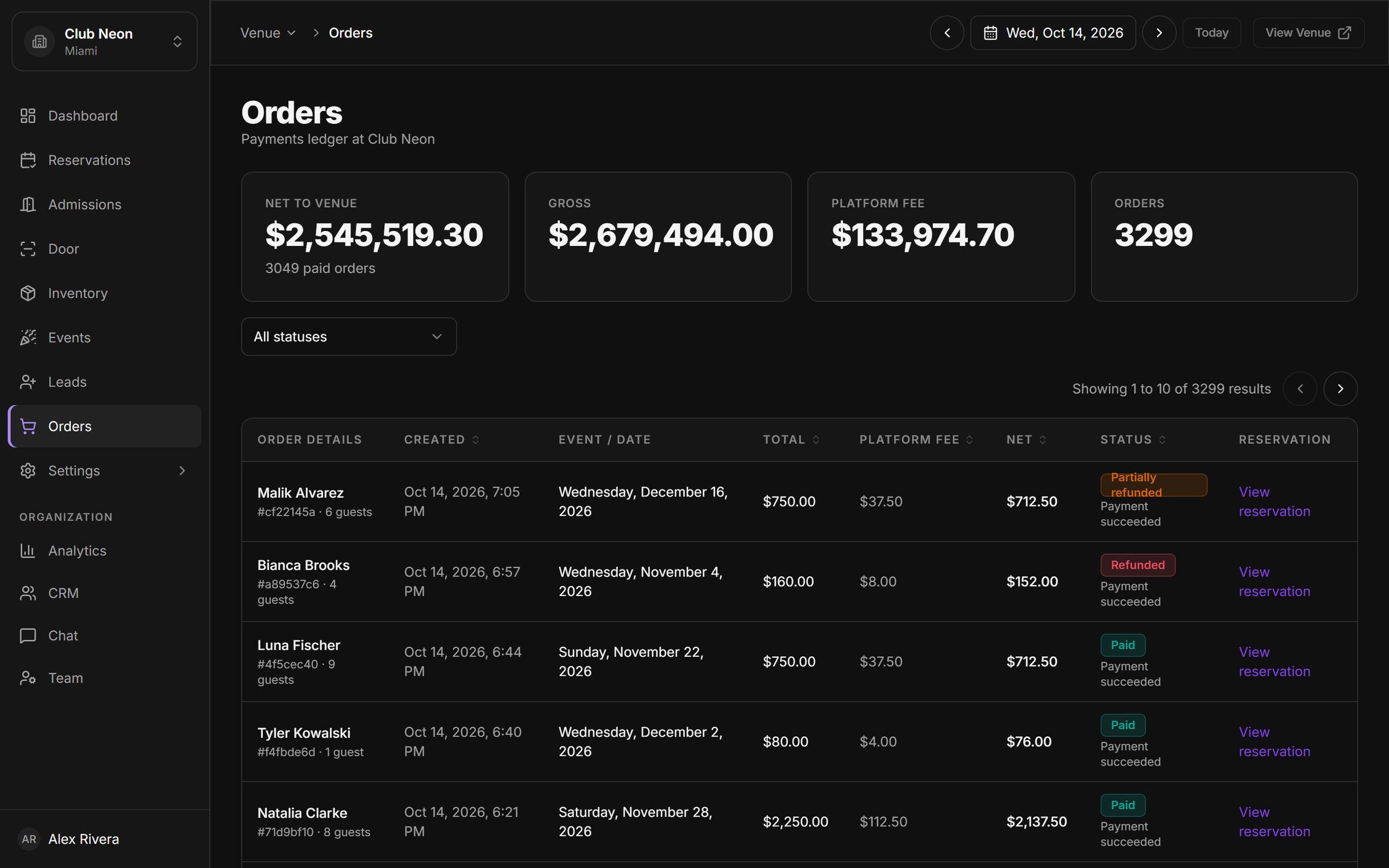
Drop a script tag on your site to show live inventory or a reservation form, styled to your brand. API keys and webhooks for everything else.
Learn more about Booking widgets & API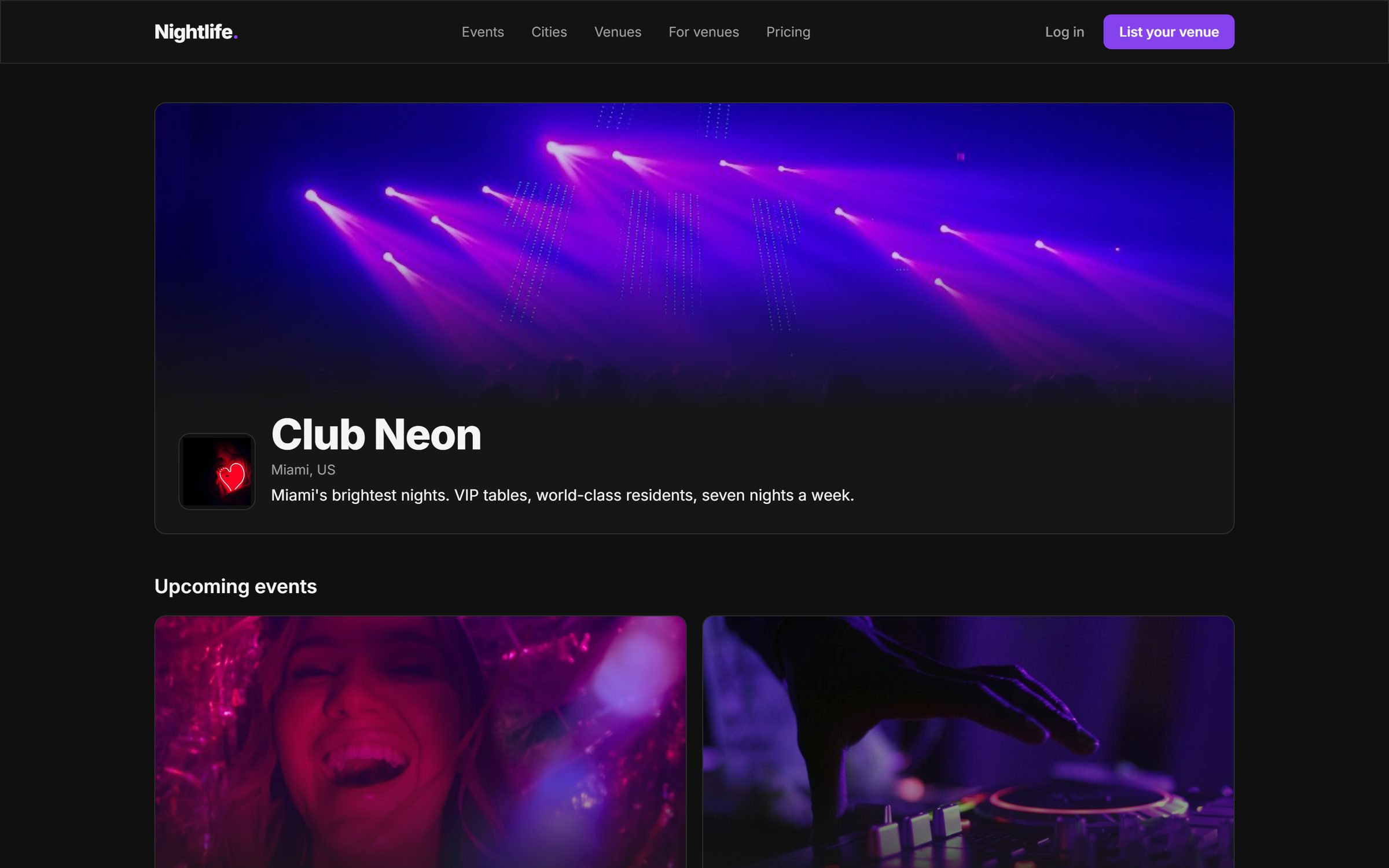
Connect POS, email marketing, CRM and analytics tools from one settings screen, and switch each integration on or off per venue.
Learn more about Integrations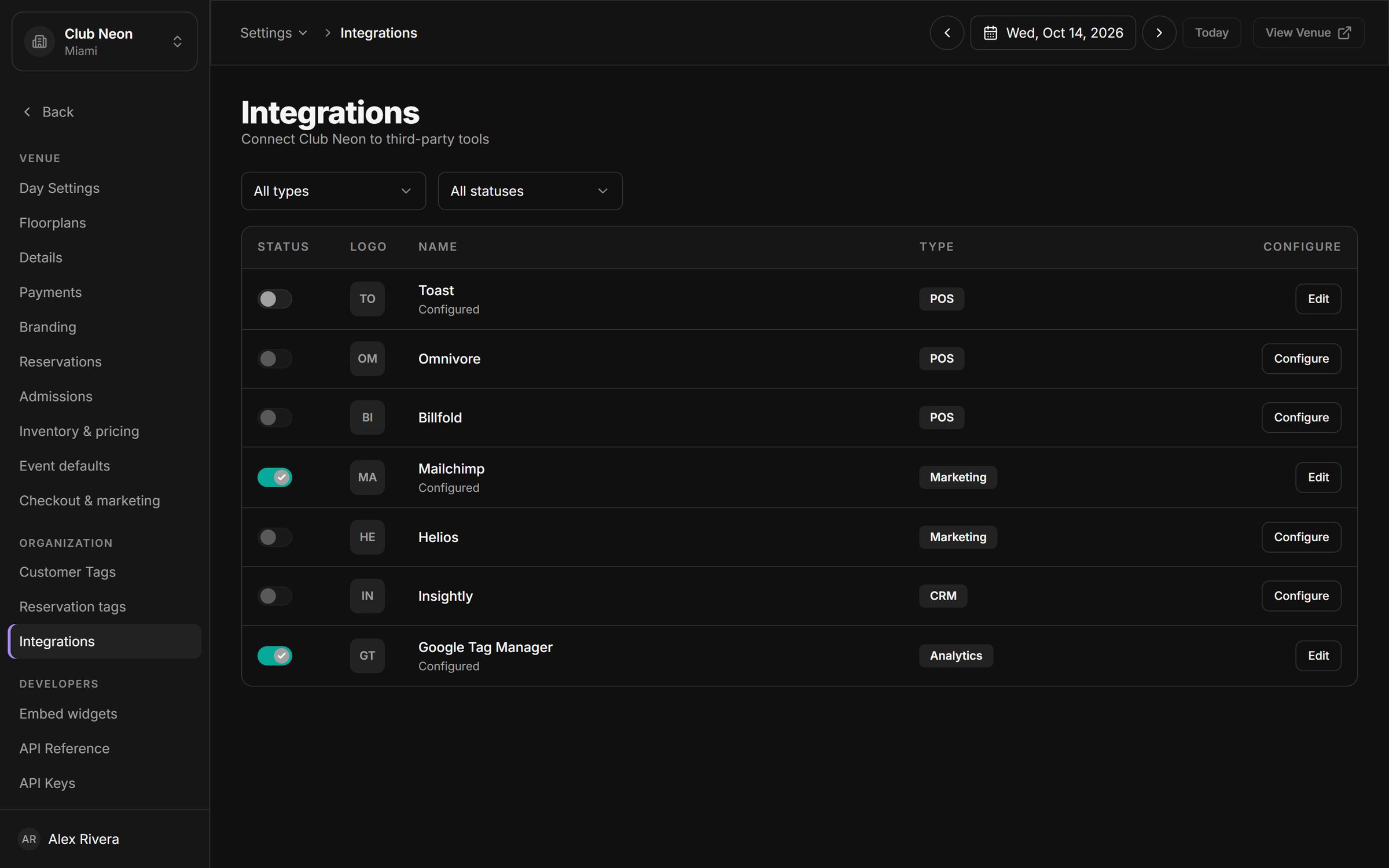
Most venues stitch together four or five tools to run a night. Here, every step of the guest's journey runs on the same system.
Your venue page, the marketplace listing and widgets on your own site all show live availability.
Tables with minimum spends, tickets per guest or a guest list spot, with deposits or full prepayment.
A signed QR pass on their phone, scanned by your staff on any device. Arrivals count live.
Every visit and dollar lands in the CRM, tagged and ready for chat, email and the next big night.
Draw every room in the floor plan editor, then sell those exact tables online. When the layout changes for a big night, you change it, not a support agent.
Guests text the venue number and your team replies from one shared inbox. Each conversation sits next to the guest's visits, spend and tags, so the answer is always informed.
Tell us about your rooms, your nights and how you sell today. We show you the platform on a venue that looks like yours.
Draw your floor plan, load your table packages and events, invite your team and connect Stripe. We are on hand for every step.
Publish your venue page, paste the booking widget on your site and open the door screen on your first night.
Legacy nightlife tools were built around a back office. This one is built around the night: the floor, the door and the guest.
Anything else? Book a demo and ask us directly.
Nightclubs, lounges, rooftops, bars with table service and event spaces. Anywhere that sells tables with minimum spends, tickets or a guest list, and needs to run a door.
Most of the setup is self-service: drawing a floor plan, adding packages and events, inviting staff and connecting Stripe. A single venue can be ready for its first night within days, and we help along the way.
No. The door screen runs in the browser of any phone or tablet with a camera. Guests show the QR pass they received when they booked.
You do. Payments go through Stripe Connect to your own Stripe account. The platform's commission on online sales is taken as an application fee on each payment.
Yes. An organization can hold several venues, with staff scoped to one venue or the whole group, and every venue one click away under the same login.
Yes. Paste a snippet to embed live inventory or a reservation request form on your site, styled with your accent color. Checkout stays on a secure Stripe page.
Yes. Your customers, bookings and orders belong to your venue. API keys and webhooks let you push them into your own tools at any time.
Book a 30-minute walkthrough. We will set up a sample of your venue, your tables and your next event, and show you the night from booking to door.